Tools
A Tool is the smallest unit of agent capability — a single executable function mapped to one API call, one shell command, or one file operation. Tools are the foundation that Skills bundle and agents invoke.
Role in the configuration model:
Agent
  ├── 1 Persona  →  WHO the agent is
  ├── N Skills   →  named capability bundles
  └── M Tools    →  individual executable functions  ← this page
See Skills and Personas for the other two building blocks.
Tools page (/tools)
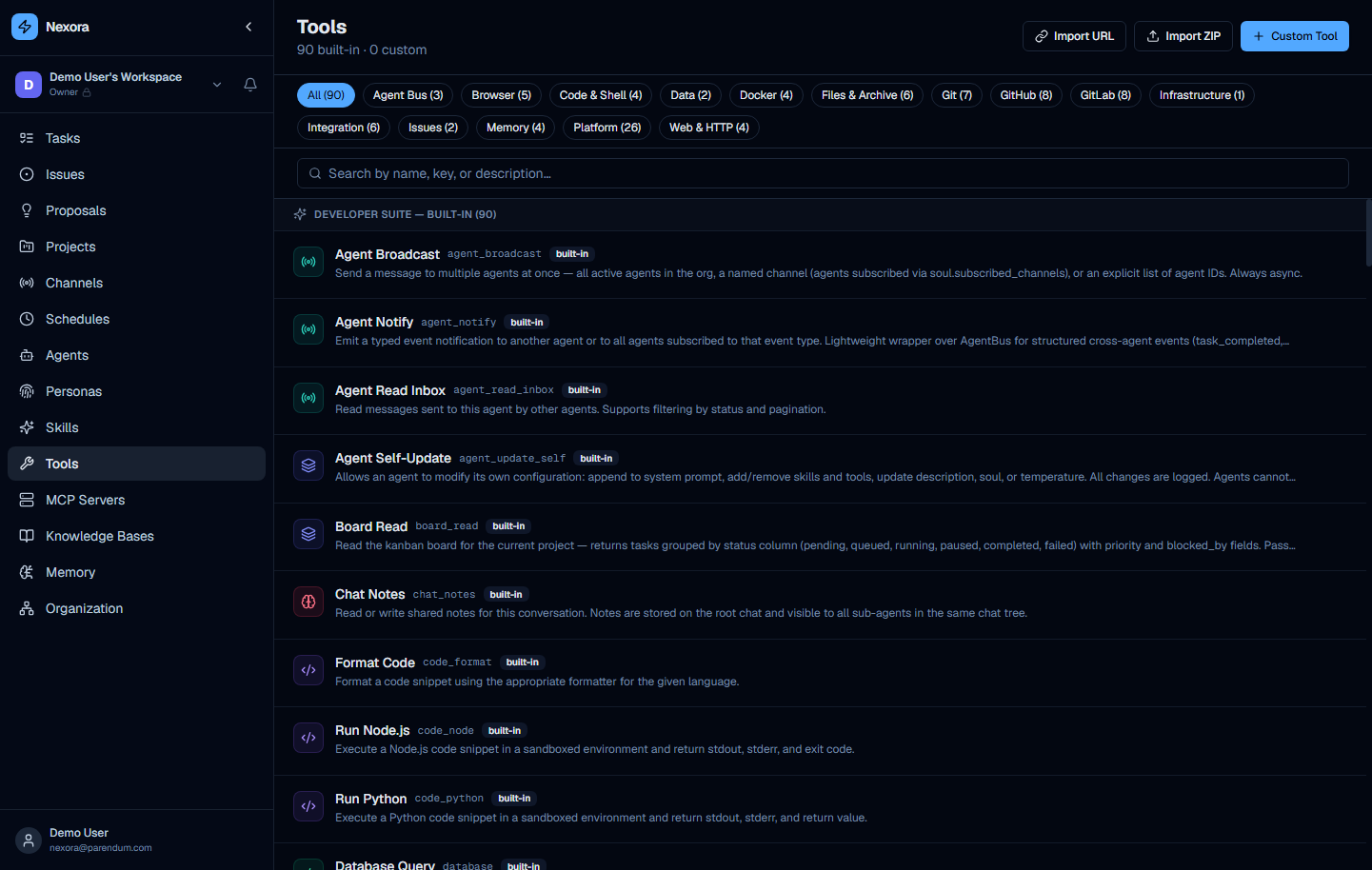
The Tools page is the complete library of tool definitions available for assignment to agents. Each entry shows the tool name, ID, category, description, and whether it is built-in.
What a tool definition contains
| Field | Description |
|---|---|
| Name | Display name |
| ID | Slug used in agent configuration and API calls |
| Description | What the tool does — used by the agent to decide when to call it |
| Input schema | JSON Schema of accepted parameters |
| Execution handler | Server-side function, API call, or shell command that runs on invocation |
When an agent calls a tool, it generates a structured call with the required parameters. The Nexora backend validates and executes it, and returns the result to the agent.
Built-in tool categories
| Category | Examples |
|---|---|
| GitHub | list issues, create PRs, push commits, fetch file contents |
| GitLab | list MRs, create issues, push code, manage labels |
| File I/O | read files, write files, list directories |
| Web | HTTP GET with content parsing, URL reading |
| Scheduling | create and trigger schedules, list tasks |
| Shell | run bash commands within the sandbox |
| Agent spawning | create and dispatch sub-agents |
Assigning tools to agents
Tools reach an agent in two ways:
- Via a Skill — assign a skill in Step 3 of the wizard; all tools in that skill become available automatically
- Directly — in Step 3, toggle individual tools on without going through a skill
Use direct assignment when you need a single tool from a skill bundle, or when the tool is not included in any existing skill.
The Tool Architect built-in agent can scaffold new tool definitions from a natural language description and register them in the database with correct validation. Use it from chat rather than editing raw JSON.