Agents
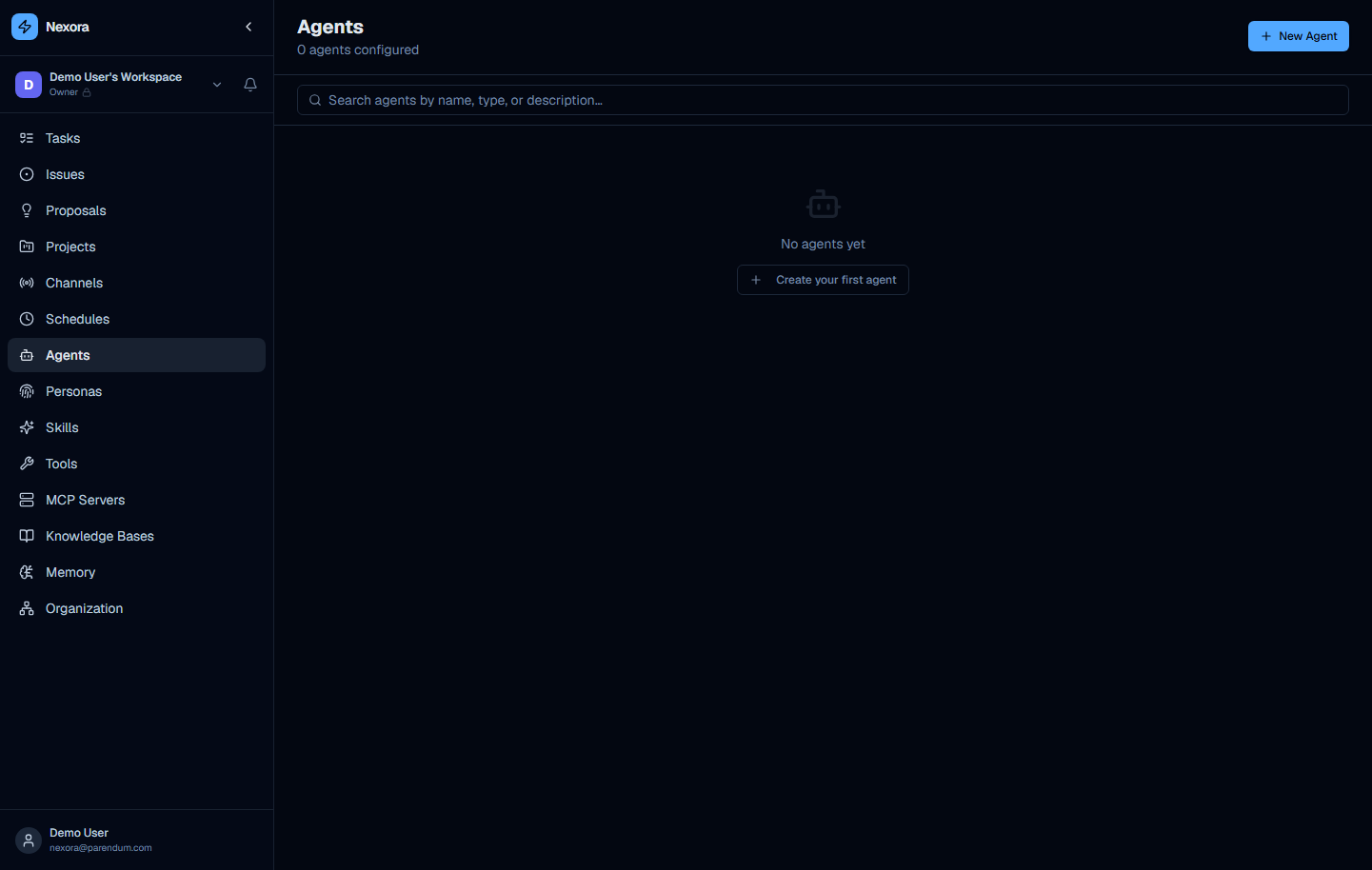
The Agents page (/agents) is the central hub for all agent management in Nexora. Every agent available to your workspace is listed here, along with quick access to create new ones.
Page Overview
The page opens with an “Agents” heading and a subtitle showing the current count. A “New Agent” button sits in the top-right corner and launches the creation wizard.
Search and Filter
A search input labelled “Search agents by name, type, or description…” lets you filter agents by free text across all three fields simultaneously.
Below the search bar, a row of filter chips narrows the list by agent type:
| Chip | Agents |
|---|---|
| Architect | 4 |
| Assistant | 1 |
| Coordinator | 1 |
| Devops | 1 |
| Project Manager | 1 |
Agent Count Label
An “N AGENTS” label with a briefcase icon appears above the list as a quick reference for the currently-visible result count.
Agent Cards
Each agent is displayed as a list card containing:
- Blue robot avatar icon
- Name — the agent’s display name
- Type badge — e.g.
Architect,Assistant,Devops - “built-in” badge — shown on all platform-provided agents
- Description — a one-sentence summary of the agent’s purpose
- Skill tag chips — named skill badges (e.g.
braindump,roadmap,platform_management) - Link count — a paperclip icon followed by the number of linked resources
- Chevron right — click the card to open the agent detail view
Built-in Agent Catalog
Nexora ships with 8 built-in agents pre-configured with skills, tools, and personas — ready to use without any setup.
Architect Agents
These four agents specialise in scaffolding and managing platform components through the respective APIs.
Agent Architect
Type: Architect · Links: 4
Platform engineer specialised in creating and managing agents. Knows the Agents API and can scaffold fully-configured agents with skills, tools, and personas. Use this agent when you want to describe a new agent in natural language and have it created automatically.
Persona Architect
Type: Architect · Links: 3
Platform engineer specialised in creating and managing agent personas. Knows the Personas API and can scaffold new personas directly in the database. Use this agent to create or modify the identity and tone settings for any agent.
Skill Architect
Type: Architect · Links: 3
Platform engineer specialised in creating and managing skills. Knows the Skills API and can scaffold new skills directly in the database. Ideal when you want to bundle a set of tools into a named, reusable capability.
Tool Architect
Type: Architect · Links: 3
Platform engineer specialised in creating and managing tools. Knows the Tools API and can scaffold new tools with documentation files. Use this agent when you need to expose a new API endpoint or shell command as a callable tool.
Assistant Agents
Local Operator
Type: Assistant · Tools: shell_run, file_read, file_write, file_list
Lightweight agent for the NexoraCLI’s local execution. Runs shell and file commands directly on the user’s machine and reports the exact output. No orchestration, no delegation. The CLI auto-selects this agent as the default when a chat opts into local execution. See the CLI local-execution guide for details.
Coordinator Agents
Agents that facilitate team-level processes across multiple agents and workstreams.
Scrum Master
Type: Coordinator · Skills: schedule_manage · Links: 9
Built-in facilitator agent that runs daily standups, sprint planning, and blocker resolution for all active agents in the org. Uses the schedule_manage skill to create and manage recurring schedules. Configure this agent and point it at your project to automate your agile ceremonies.
Devops Agents
Infrastructure Manager
Type: Devops · Skills: platform_management · Links: 5
Built-in DevOps agent with full access to platform source code and Docker daemon. Can audit, edit, and restart backend and frontend services. Uses the platform_management skill to apply live changes to the running platform. Use with caution — this agent has write access to the host filesystem and Docker.
The Infrastructure Manager has elevated privileges via the platform_management skill. It can read and write source files and issue Docker commands. Only assign it to trusted users in your workspace.
Project Manager Agents
Project Manager
Type: Project Manager · Links: 9
Autonomous project manager that plans, delegates, and tracks multi-step objectives. Creates a structured plan, deploys specialist sub-agents, marks steps done as results arrive, and iterates until every step is complete before reporting to the user. This agent uses sub-agent spawning (agent_spawn skill pattern) to distribute work across the rest of your agent fleet.
New Agent Wizard
Click “New Agent” in the top-right corner. A template picker opens first; after you pick a starting point (or “Start from scratch”), the five-step creation wizard opens with the chosen template’s fields pre-filled.
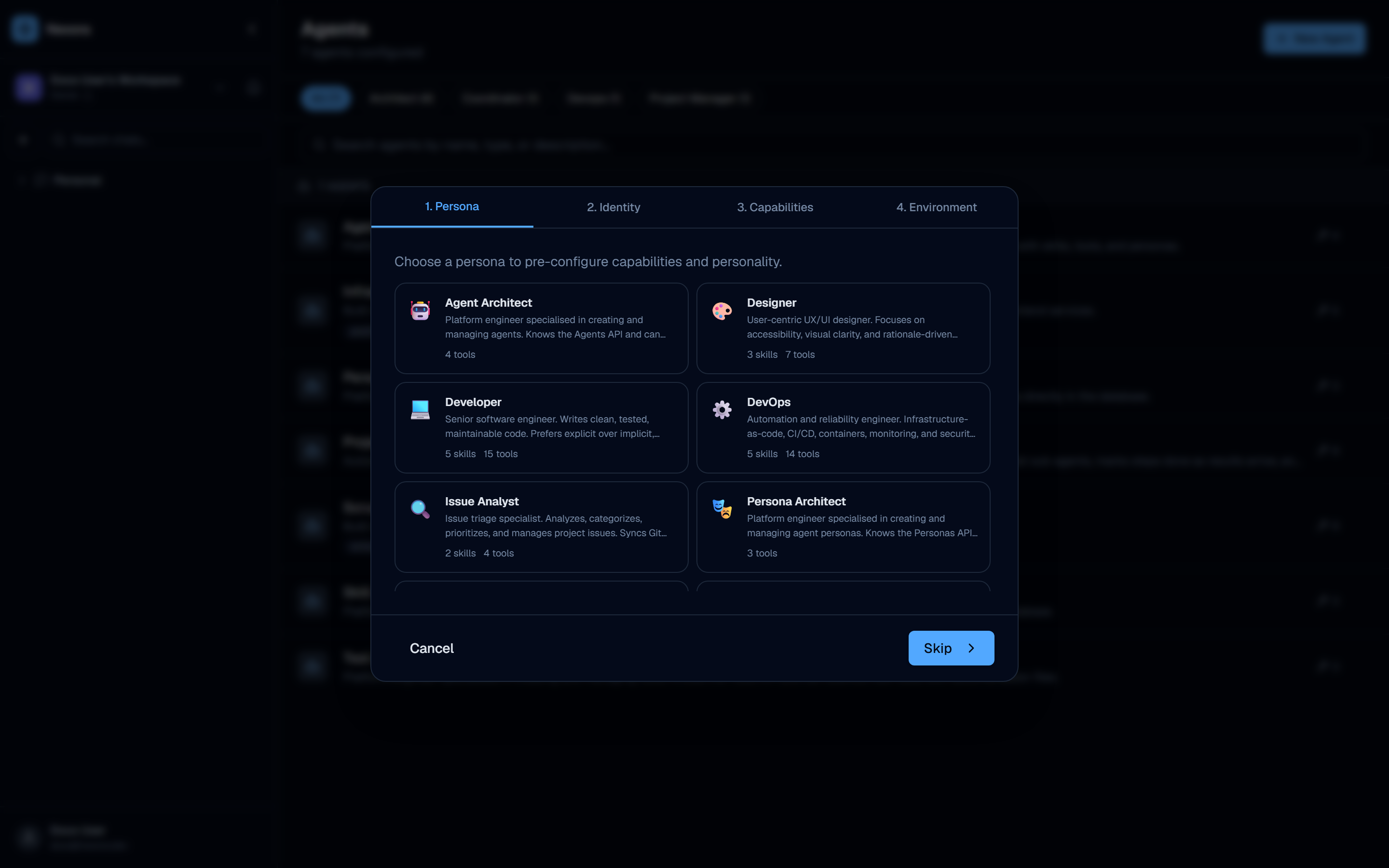
The wizard has five tabs across the top: 1. Template · 2. Persona · 3. Identity · 4. Capabilities · 5. Environment. You can jump between steps by clicking the tabs, or use Back / Next at the bottom.
Step 1 — Template
Start from a built-in agent template or pick “Start from scratch” for a blank agent. Category filter chips (All, Productivity, Code, Customer Support, Research, DevOps) narrow the template grid. Each template card shows its name, category badge, description, and skill/tool counts. Selecting a template pre-fills the later steps; clicking Next without selecting one shows “Skip” to continue blank.
Step 2 — Persona
Choose a persona to pre-configure capabilities and personality. Each persona card shows its name, description, and counts of default skills / tools / MCPs. Selecting a persona pre-fills the capability selections on the Capabilities step. Clicking Next without selecting one shows “Skip”.
Step 3 — Identity
Define the agent’s basic information:
- Name (required) — the display name shown in the agents list and chat headers
- Personality — a short free-text descriptor of the agent’s character (e.g. “methodical, detail-oriented, prefers TypeScript”)
- System prompt — base instructions injected before any task-specific content
The agent’s type is inherited from the selected template or persona rather than set with a dropdown on this step.
Step 4 — Capabilities
Assign the agent’s capabilities across three sub-tabs:
- Skills — named bundles of tools and instructions (e.g.
bash,git,platform_management) - MCP Servers — tools sourced from registered MCP servers (per-server, with optional per-tool allow-lists)
- Tools — individual tool definitions available to the agent beyond what skills provide
Each sub-tab shows a selectable table of the available items; click a row to toggle it on or off. A running count of selected skills / MCPs / tools appears below the table.
Step 5 — Environment
Configure runtime settings:
- Concurrency — Max sub-agents (1–20) and Max concurrency (1–10) for this agent
- Environment Variables — key/value pairs injected when the agent runs CLI tools (git, bash, etc.)
Once all five steps are complete, click “Create Agent” to save the agent to the database. It will appear immediately in the agents list and be available for use in chat sessions.
Navigating to Agents
You can reach the Agents page in two ways:
- Click the “Agents” button shown in the workspace empty state when no conversations exist yet
- Navigate directly to
/agentsin the sidebar
Agent Types Reference
| Type | Purpose |
|---|---|
| Architect | Platform-level engineers that scaffold and manage other platform objects (agents, skills, tools, personas) |
| Coordinator | Facilitators that orchestrate processes across multiple agents (standups, planning) |
| Custom | No fixed role archetype — configure freely for any purpose |
| Devops | Infrastructure and operations agents with elevated platform access |
| Project Manager | Autonomous planning agents that decompose goals and delegate to sub-agents |
Agent type is a classification label used for filtering and display. It does not restrict which skills or tools an agent can be assigned — that is determined entirely by the capabilities you select in the wizard.