Personas
A Persona defines who an agent is — its role identity, communication style, and base system prompt instructions. Every agent has exactly one active persona.
Role in the configuration model:
Agent
  ├── 1 Persona  →  WHO the agent is  ← this page
  ├── N Skills   →  named capability bundles
  └── M Tools    →  individual executable functions
See Skills and Tools for the other two building blocks.
Personas page (/personas)
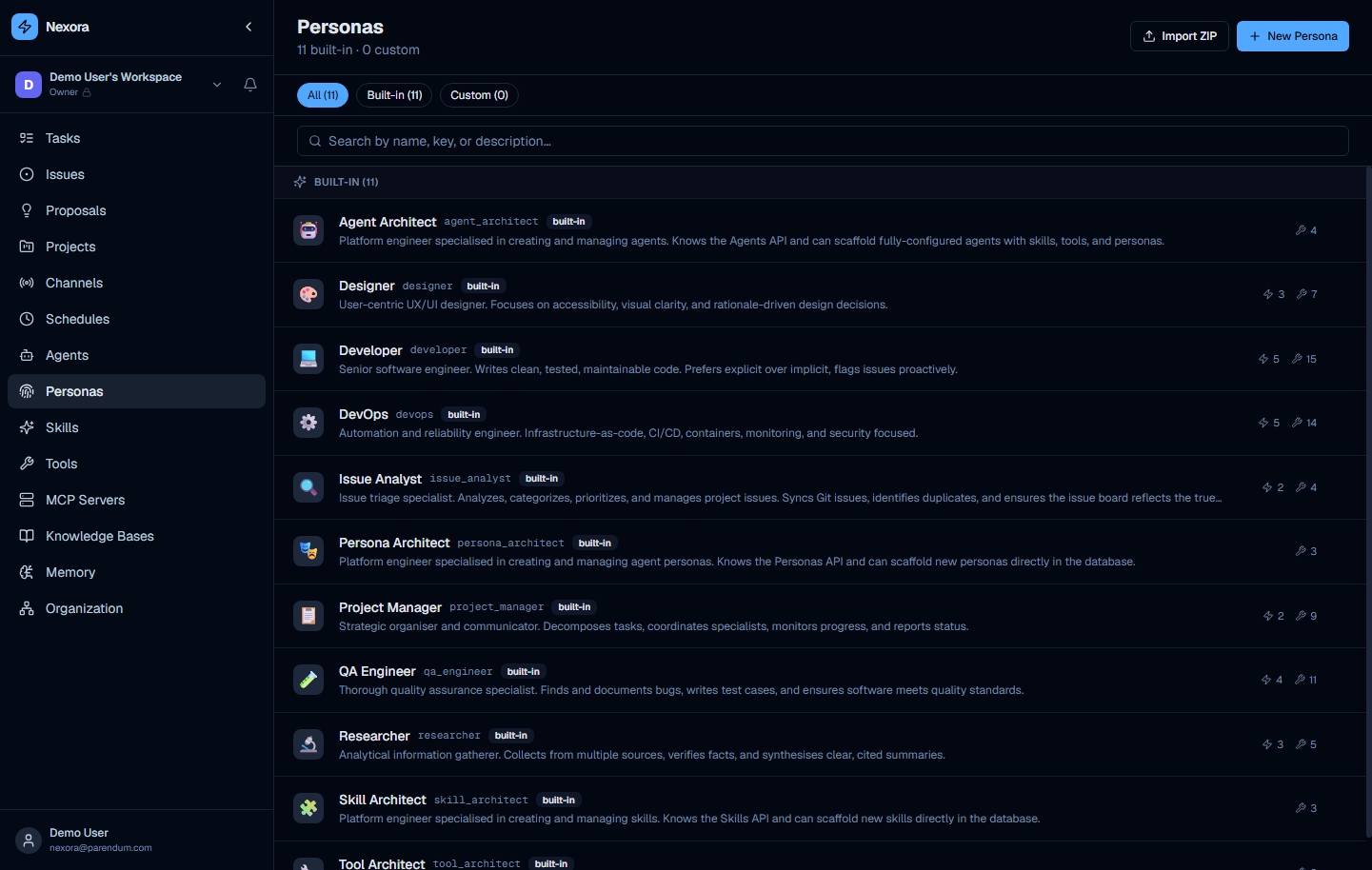
The Personas page lists all built-in and custom personas in your organization. Each entry shows the persona name, description, and a built-in badge for platform-provided entries.
What a persona defines
| Field | Effect |
|---|---|
| Name | Display name used in agent configuration |
| Role identity | High-level description of who this agent is |
| Communication style | Tone, verbosity, formality, preferred output formats |
| Base system prompt | Instructions injected before any task-specific content |
| Behavioural guidelines | Things the agent always does or avoids |
Built-in personas
These personas map directly to the templates shown in Step 1 of the New Agent wizard:
| Persona | Role summary |
|---|---|
| Agent Architect | Platform engineer for agent scaffolding and API operations |
| Designer | User-centred UI/UX designer focused on accessibility and visual clarity |
| Developer | Senior software engineer — clean, tested, maintainable code |
| DevOps | Automation and reliability engineer — IaC, CI/CD, containers |
| Issue Analyst | Issue triage and prioritisation specialist |
| Persona Architect | Platform engineer for persona management |
| Project Manager | Autonomous planner and delegator |
| QA Engineer | Quality-assurance specialist — testing, validation, edge-case hunting |
| Researcher | Information-gathering specialist — searches, reads, and synthesises sources |
| Skill Architect | Platform engineer for skill scaffolding |
| Tool Architect | Platform engineer for tool definitions and documentation |
The Scrum Master is a built-in agent (a Coordinator), not a persona — see the Agents guide.
Assigning a persona to an agent
Persona assignment happens in Step 2 — Identity of the New Agent wizard. It can also be updated later from the agent’s detail page.
Changing a persona takes effect on the next conversation. Existing conversations continue with the persona that was active when they started.
Creating a custom persona
Via the Persona Architect agent (recommended):
Open a chat with the Persona Architect agent and describe the persona you want:
“Create a persona for a technical writer who produces concise API documentation with code examples. They prefer markdown output, avoid jargon, and always include a working example.”
The Persona Architect will scaffold and register the persona directly in the database.
Via the UI:
Click New Persona on the Personas page and fill in:
| Field | Description |
|---|---|
| ID | Slug used in agent configuration |
| Name | Display name |
| Description | Summary of role and communication style |
| Icon | An emoji shown as the persona’s avatar |
After creating it, open the persona’s detail panel and use the Prompt tab to set the full base system prompt.