Slash Commands
In the chat composer, type / to open an autocomplete popup of commands (these mirror the web UI’s quick-switchers). Keep typing to filter; tab completes, enter runs.
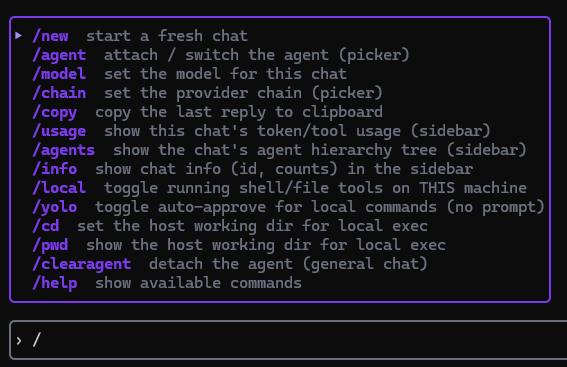
| Command | Argument | Action |
|---|---|---|
/new | — | Start a fresh chat (agentless until you attach one) |
/agent | — | Attach / switch the agent (opens a picker) |
/clearagent | — | Detach the agent (general chat) |
/model | <model-name> | Set the model for this chat |
/chain | — | Set the provider chain (opens a picker) |
/copy | — | Copy the last reply to the clipboard |
/usage | — | Show this chat’s token / tool usage in the sidebar |
/agents | — | Show the chat’s agent hierarchy tree in the sidebar |
/info | — | Show chat info (id, counts) in the sidebar |
/local | — | Toggle running shell/file tools on this machine |
/yolo | — | Toggle auto-approve for local commands (no confirmation prompt) |
/cd | <path> | Set the host working directory for local execution |
/pwd | — | Show the host working directory for local execution |
/help | — | Show available commands in the status line |
Aliases: /stats → /usage; /hierarchy, /tree → /agents; /? → /help.
/local and /yolo let the agent run commands on the machine the TUI runs on. /yolo removes the per-command confirmation prompt — use it only when you trust the agent and the working directory. See Local Execution.