CLI Reference
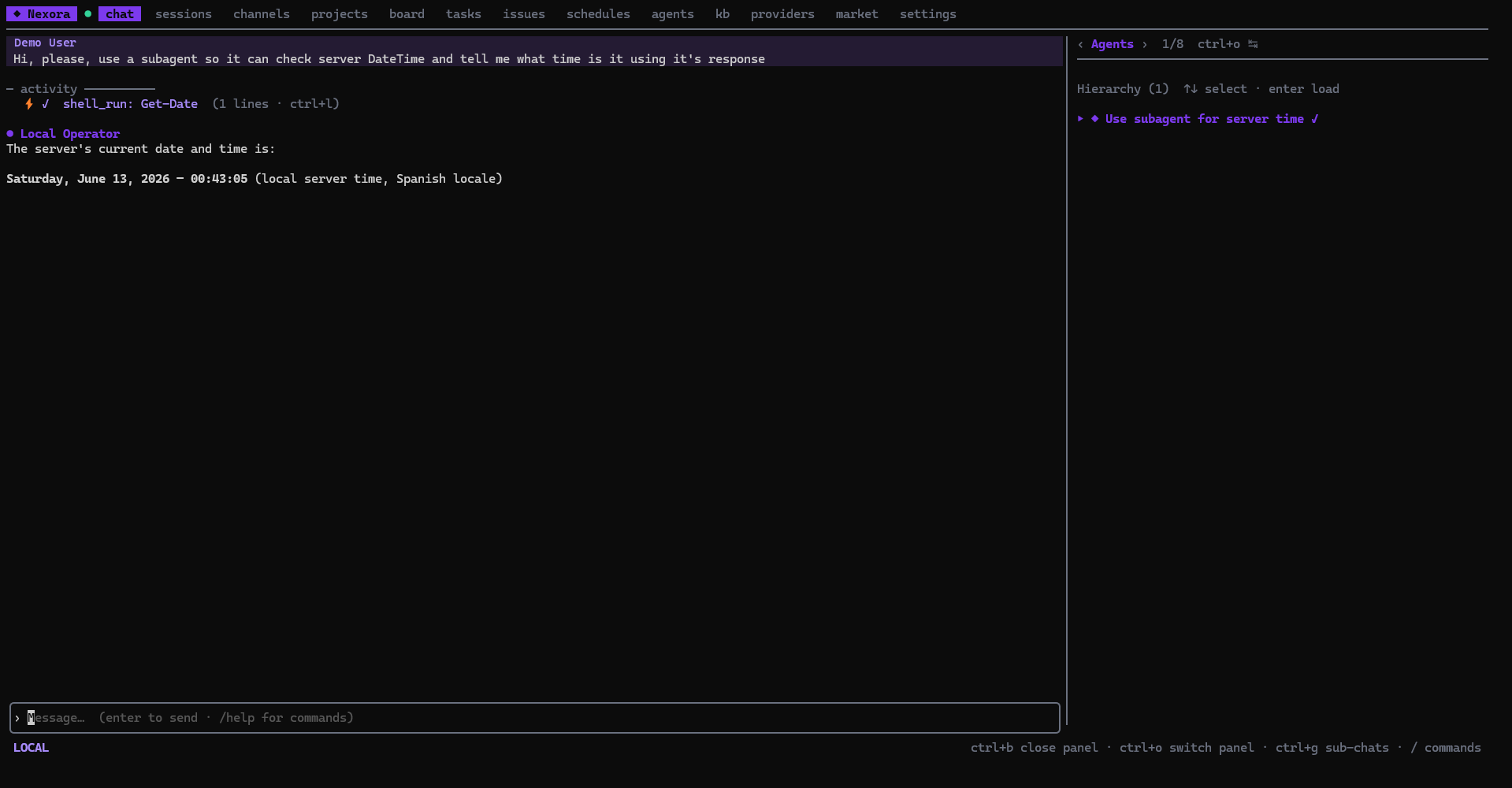
NexoraCLI (nexora) is the official terminal client for the Nexora platform — what the web UI does, in a full-screen terminal app. It’s a single static Go binary built with Bubble Tea ; it talks to any Nexora or NexoraCloud instance over the network (LAN / VPN / public) using the same REST + WebSocket API as the browser.
Why a terminal client?
- No browser needed — manage an instance entirely over SSH / from a headless box.
- Streaming chat with agents, sub-agent activity, and live tool calls rendered inline.
- Local execution — let the agent run shell and file tools on the machine the TUI runs on (your laptop, a server), not just inside the server container. See Local Execution.
- Channels — read and reply to external conversations (e.g. Telegram) that reach the platform through an integration. See Channels.
- One binary — ~9.5 MB, no runtime, cross-compiles to Linux / macOS / Windows.
At a glance
| Language / framework | Go + Bubble Tea v1 (Elm architecture) |
| UI libs | Lip Gloss, Bubbles, Glamour (markdown), Chroma (syntax highlighting) |
| Transport | REST + chat WebSocket (gorilla/websocket) |
| CLI framework | Cobra (nexora root → TUI; login / pair / instance / env / migrate / version subcommands) |
| Config | <os-config-dir>/nexora/config.toml (mode 0600 — holds tokens) |
| Auth | nexora login (email/pw + TOTP), nexora pair (device code), or --api-key nxr_… |
| Binary size | ~9.5 MB single static binary |
Feature coverage
The TUI tracks the web frontend feature-by-feature. Top-level tabs:
chat · sessions · channels · projects · board · tasks · issues · schedules · agents · kb · providers · market · settings
Streaming chat, agent picker, sessions, tasks/plan, projects (with file-tree repo browser, resources, agents, logs subtabs), kanban board, issues, schedules, agents, knowledge base, providers/chains, marketplace, and settings (with profile / interface / memory / contact / integrations / devices / telegram / variables / account / usage / backup subtabs) are all available.